How do I deactivate a listing?
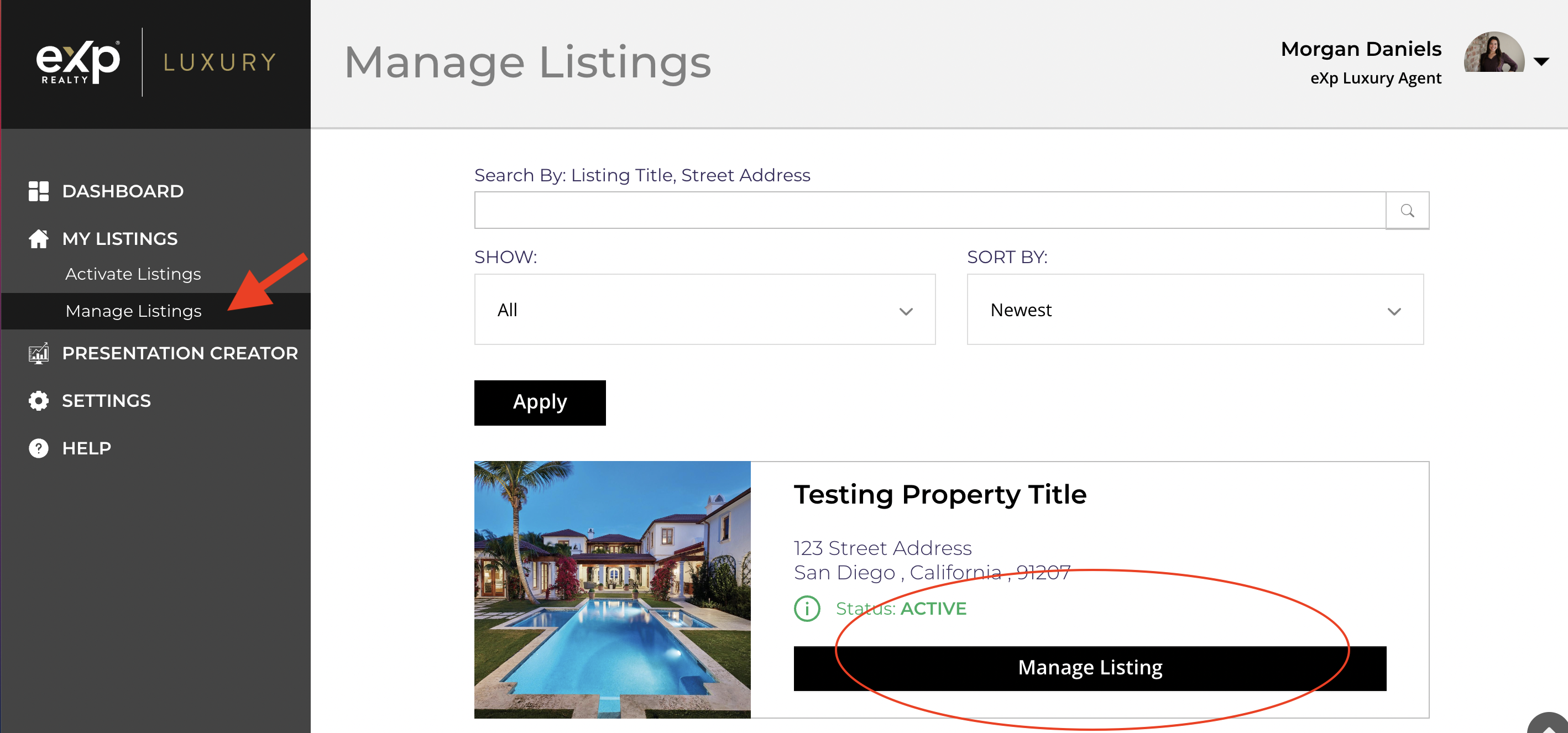
To deactivate the luxury marketing campaign for a listing for any reason, first login through OKTA and go to the eXp Luxury Listings tile. On the left hand side, under “My Listings” click “Manage Listings.” Then for the listing you wish to cancel, click "Manage Listing."
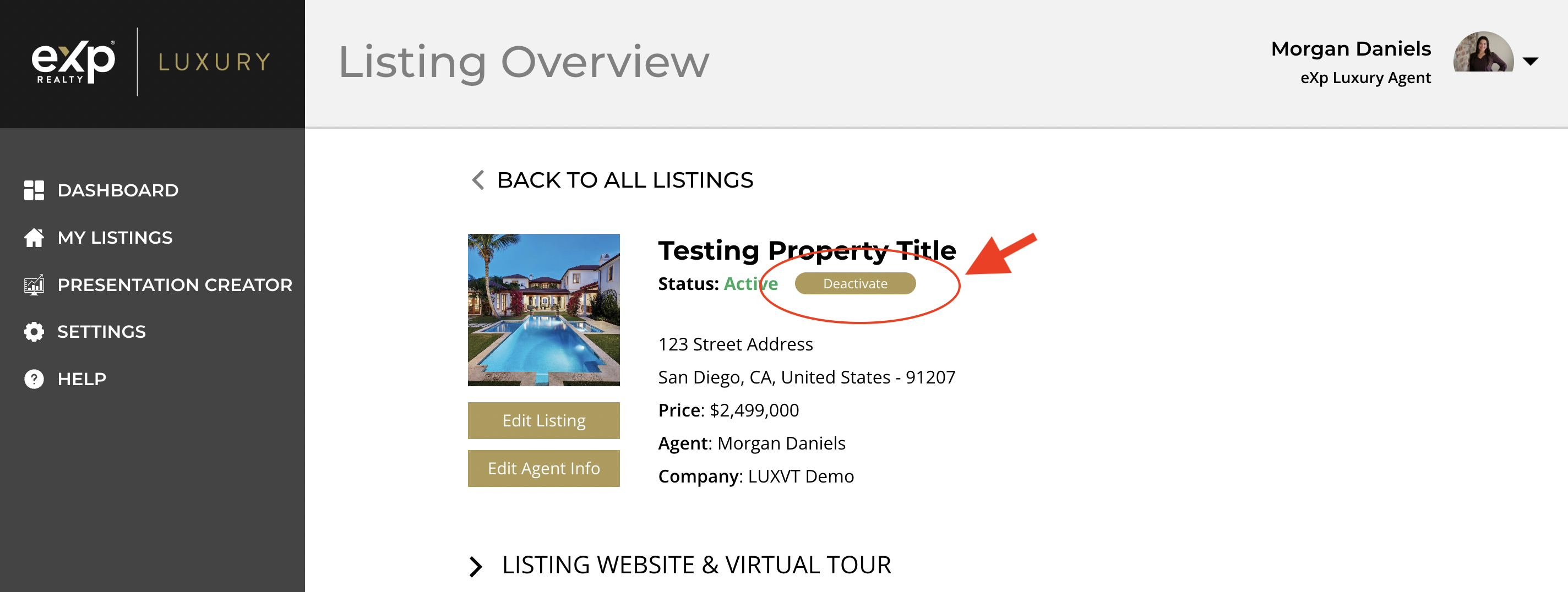
Once you arrive on the Listing Overview page for that listing, you will be able to select the "deactivate" button underneath the property title. Then confirm your selection in the pop-up window that appears. Your campaign will be pulled down shortly. Your listing will be saved under My Listings in case you would like to reactivate it at a later time.