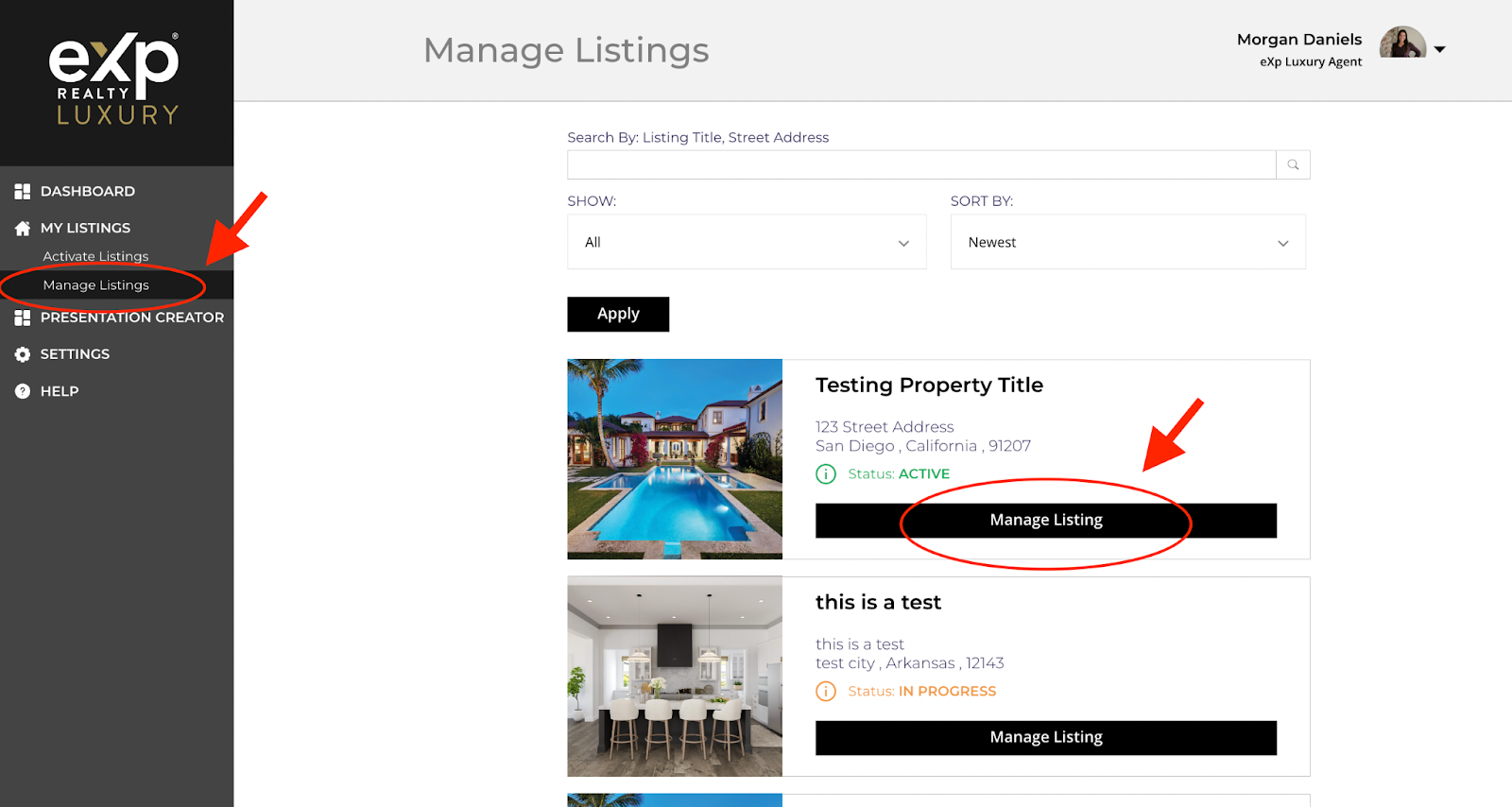
How do I edit my listing?
You can edit your tour by logging in to your eXp Luxury Listings dashboard via OKTA and under “My Listings” in the left hand menu clicking on “Manage Listings.” Then click on the “Manage Listing” button for the property you want to edit.
On the next screen, you select “Edit Listing” to edit any information about the tour, change the photos, or agent information.
Please note that edits can only be made once a tour is active. If your tour status says “In progress” you will not be able to submit edits while the tour is in production. If you need any urgent changes at this stage, please contact support@expluxury.com.
Edits to the tour details and photos will typically reflect within 2-3 hours if not sooner on the tour website.
Changes to the video tour will take effect within 24 hours. Changes to ads will take 2-3 business days to be processed.